Gaming
Guides
Here’s how you can warp to the galaxy far far away on PC and Mac.
Star Wars: Hunters has been a popular release set in the galaxy far, far away. However, with limited platform support, many players cannot play the game. With Star Wars: Hunters' release limited to just Mobile and Nintendo Switch, can PC and Mac players play the game on an Emulator?

How to play Star Wars: Hunters on Emulator?
The simplest way for PC players to get access to Star Wars: Hunters is by using an emulator. These nifty pieces of software allow you to run a virtual version of Android on your PC or Mac. And unlike many other games, Star Wars: Hunters (so far) does not make you jump through a dozen hoops to get it working.
Withcontroller support built right inand no authentication errors to speak of, you can simply install an emulator, download the game, and get going.Here are the steps to run Star Wars: Hunters on Emulators:

Related articles
How to play Star Wars: Hunters on Mac?
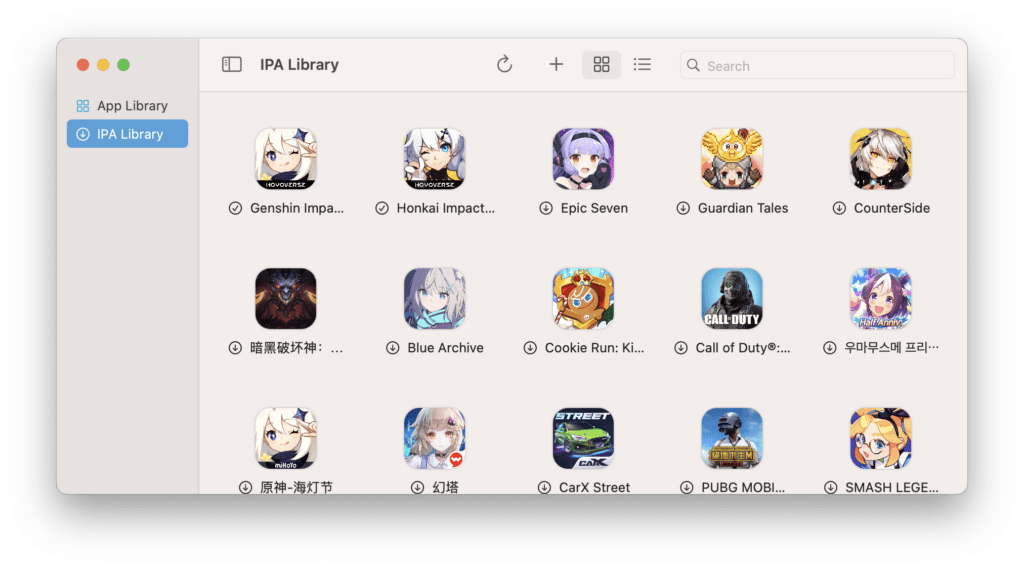
Mac users get an additional way to play Star Wars: Hunters through PlayCover. PlayCover is a tool that allows you to natively run iOS apps on a Mac. This means you are playing the game with the full performance available to your device, making it a a much smoother experience.So here’s the steps to run Star Wars: Hunters on Mac:
Can you get banned from playing on an Emulator?
As with any emulated game, there is a question of potential bans from the game. While so far, there have been no reported bans due to emulator use, there is always a possibility of the game devs deciding on it later. So while you shouldn’t be concerned about a ban in Star Wars: Hunters right now, maybe use a second account on the emulator just to be safe.
Stay tuned to esports.gg for moreesports newsand Star Wars: Hunters coverage.